Navigate with Quick Jump
Graylog provides Quick Jump for fast, flexible navigation across the application. Whether you know exactly where you're going or just need a quick way to get there, Quick Jump lets you navigate directly to pages and assets without working through the menu structure.
This article explains what you can find and how to use the Quick Jump menu.
Prerequisites
Before proceeding, ensure that the following prerequisites are met:
-
All users have access to Quick Jump. However, access to specific pages and other assets within the application is controlled by the Graylog permissions model.
Use Quick Jump
Find the Quick Jump menu at the top-right of the Graylog application. Select the search icon to open the dialog box. This option is available from every page within Graylog.

The dialog box opens with a search field. As you type, predictive results appear below the search box, from which you can select. When you select a result, you navigate to that page or asset.
Ctrl + space to open Quick Jump. You can navigate results using arrow keys, then hit Enter to select an item from the list.
Quick Jump allows you to search for application pages throughout Graylog. For example, you could search for "definitions" to find the Event Definitions page (Alerts > Definitions). Or you might search for "pipe" to locate any of the pages for pipelines or pipeline rules. Note that you can even jump right into a "create pipeline" workflow.
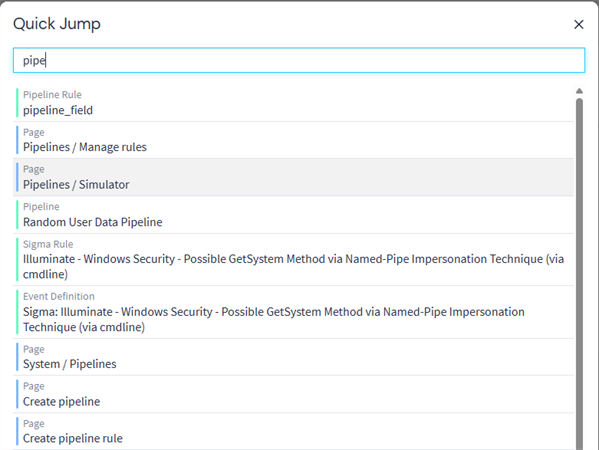
As shown in the screenshot above, you can also use Quick Jump to locate user-created assets in your Graylog environment. You can find entities such as event definitions, pipeline rules, streams, dashboards, saved searches, and many others.
Further Reading
Explore the following additional resources and recommended readings to expand your knowledge on related topics: