PowerShell Content Pack
PowerShell is a task automation and configuration management program from Microsoft. This technology pack processes PowerShell logs.
Requirements
-
The pack works with Winlogbeat and NXlog.
-
(NXLog + Sidecar) NXLog's binaries need to be installed under
C:\Program Files (x86)\nxlogor the permissions for Sidecar file access has to be adjusted.
Supported Versions
-
Windows 10, Windows 11, or Windows Server 2022
-
PowerShell 5.1 or 7
-
Log delivery agent: Winlogbeat 7.11/8.8 or NXLog 3.2
-
Graylog Server with a valid enterprise license running Graylog version 5.0.3 or later
-
Illuminate 3.4+
Supported Event Log Names
-
Microsoft-Windows-PowerShell/Operational
-
PowerShellCore/Operational
-
PowerShell
-
This pack will normalize common fields for PowerShell if shipped to one of these three listed event log names.
Supported Logs/Event IDs
-
PowerShell lifecycle: 200, 300, 400, 403, 500, 501, 600, 800
-
Script block/module logging: 4100, 4101, 4102, 4103, 4104, 4105, 4106
-
Other: 32784, 40961, 40962, 53504, 53506
Log Collection
Graylog Sidecar Configuration
Please follow Graylog documentation to install Sidecar. You need to add the following paths in your Winlogbeat or NXLog configuration:.
-
Winlogbeat (with Security logs):
Copywinlogbeat:
event_logs:
- name: Security
- name: Microsoft-Windows-PowerShell/Operational
- name: PowerShellCore/Operational
- name: Windows PowerShell -
Example config file for NXLog (with Security logs):
Copy<Input eventlog>
Module im_msvistalog
PollInterval 1
SavePos False
ReadFromLast True
<QueryXML>
<QueryList>
<Query Id='1'>
<Select Path='Security'>*</Select>
<Select Path='Windows Powershell'>*</Select>
<Select Path='PowerShellCore/Operational'>*</Select>
<Select Path='Microsoft-Windows-PowerShell/Operational'>*</Select>
</Query>
</QueryList>
</QueryXML>
</Input> -
Adjust the host IP and port accordingly to your Graylog server. Configuration files are key sensitive, and correct spacing is necessary. Installation of NXlogs binaries in
C:\Program Files (x86)\nxlogis recommended, but if you choose a different location, you must adjust the Sidecar file permissions and define a new ROOT location. If you are not using PowerShellCore (PowerShell 6.x and higher), omit the PowerShellCore line. To capture remote PowerShell access, add path:Microsoft-Windows-WinRM/Operational(not supported by this pack). -
Graylog Input: Beats with Beats type prefix
PowerShell Configuration
-
Not all PowerShell logs are logged by default. If needed, activate Script Block Logging (event ID 4104), Module Logging (event ID 4103), and others via group policy.
-
PowerShell version 5 (and lower) and PowerShellCore version 6.x (and higher) have separate policy and registry settings. If you want to log both versions, you need to adjust both keys.
-
PowerShellCore uses PowerShellCore/Operational as an additional log source. Attention: Depending on your environment PowerShell logging might generate very large volumes of data.
Stream Configuration
This technology pack includes 1 stream:
- "Illuminate:Powershell Messages"
Index Set Configuration
This technology pack includes 1 index set definition:
- "Powershell Logs"
What is Provided
-
Rules to normalize and enrich PowerShell log messages for both Winlogbeat and NXLog sources
-
GIM enforcement field support: process_name and user_name for process events, service_name for service events, application_name for auth events
These logs come from Windows Event Viewer as evtx files are not human readable.
GIM Categorization
GIM categorization by command name (events 4103/800) and by event ID (fallback for events without a matching command):
| Source | Identifier | GIM Event Type Code | GIM Event Type |
|---|---|---|---|
| Command | Add-LocalGroupMember | 111007 | group member added |
| Command | New-LocalUser | 110000 | account created |
| Command | New-LocalGroup | 110002 | group created |
| Command | Enable-LocalUser | 112001 | account enabled |
| Command | Disable-LocalUser | 111501 | account disabled |
| Command | Remove-LocalUser | 110500 | account deleted |
| Command | Remove-LocalGroupMember | 111008 | group member removed |
| Command | Remove-LocalGroup | 110501 | group deleted |
| Command | Rename-LocalUser | 111003 | account renamed |
| Command | Rename-LocalGroup | 111009 | group properties modified |
| Command | Set-LocalGroup | 111009 | group properties modified |
| Command | Set-LocalUser | 111000 | account modified |
| Command | Clear-EventLog | 220000 | audit log cleared |
| Command | Start-Process | 190000 | process started |
| Command | Stop-Process | 190100 | process stopped |
| Command | Start-Service | 210000 | service started |
| Command | Stop-Service | 210100 | service stopped |
| Command | Get-LocalGroupMember | 119500 | group membership enumerated |
| Command | New-ADUser | 110000 | account created |
| Command | Remove-ADUser | 110500 | account deleted |
| Command | Set-ADUser | 111000 | account modified |
| Command | Rename-ADObject | 111003 | account renamed |
| Command | Enable-ADAccount | 112001 | account enabled |
| Command | Disable-ADAccount | 111501 | account disabled |
| Command | Unlock-ADAccount | 112000 | account unlocked |
| Command | Set-ADAccountPassword | 111004 | password change |
| Command | New-ADGroup | 110002 | group created |
| Command | Remove-ADGroup | 110501 | group deleted |
| Command | Add-ADGroupMember | 111007 | group member added |
| Command | Remove-ADGroupMember | 111008 | group member removed |
| Command | Set-ADGroup | 111009 | group properties modified |
| Command | Invoke-WmiMethod | 249999 | wmi event |
| Command | Get-WmiObject | 249999 | wmi event |
| Command | New-CimInstance | 249999 | wmi event |
| Command | Invoke-CimMethod | 249999 | wmi event |
| Command | Register-ScheduledTask | 211500 | service installed |
| Command | New-ScheduledTask | 211500 | service installed |
| Command | Unregister-ScheduledTask | 211501 | service removed |
| Event ID | 400 | 190000 | process started |
| Event ID | 403 | 190000 | process started |
| Event ID | 500 | 210000 | service started |
| Event ID | 501 | 210100 | service stopped |
| Event ID | 600 | 210000 | service started |
| Event ID | 800 | 190000 | process started (fallback) |
| Event ID | 4100 | 199990 | process default |
| Event ID | 4103 | 190000 | process started (fallback) |
| Event ID | 4104 | 190000 | process started |
| Event ID | 4105 | 102501 | session disconnect |
| Event ID | 4106 | 102500 | logoff |
| Event ID | 40961 | 190000 | process started |
| Event ID | 40962 | 190000 | process started |
PowerShell Spotlight Content Pack
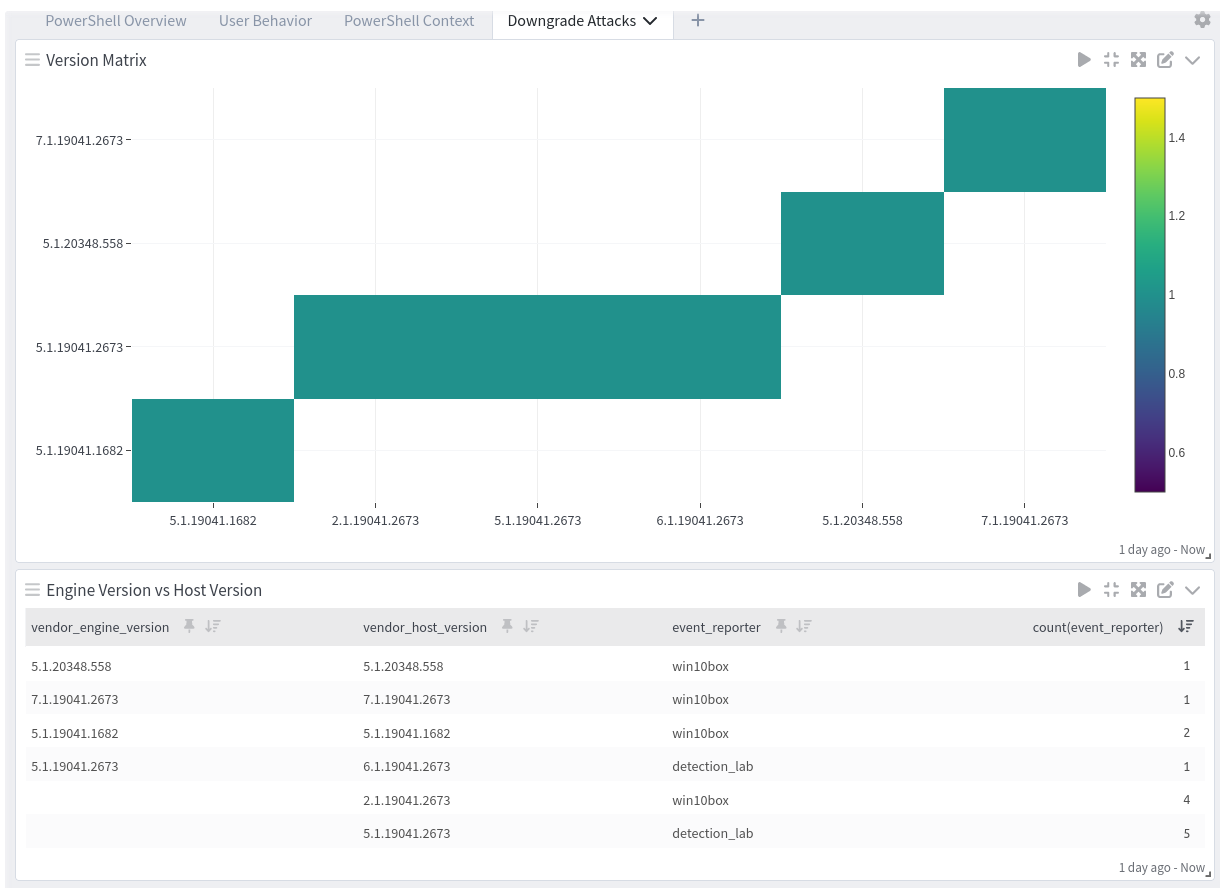
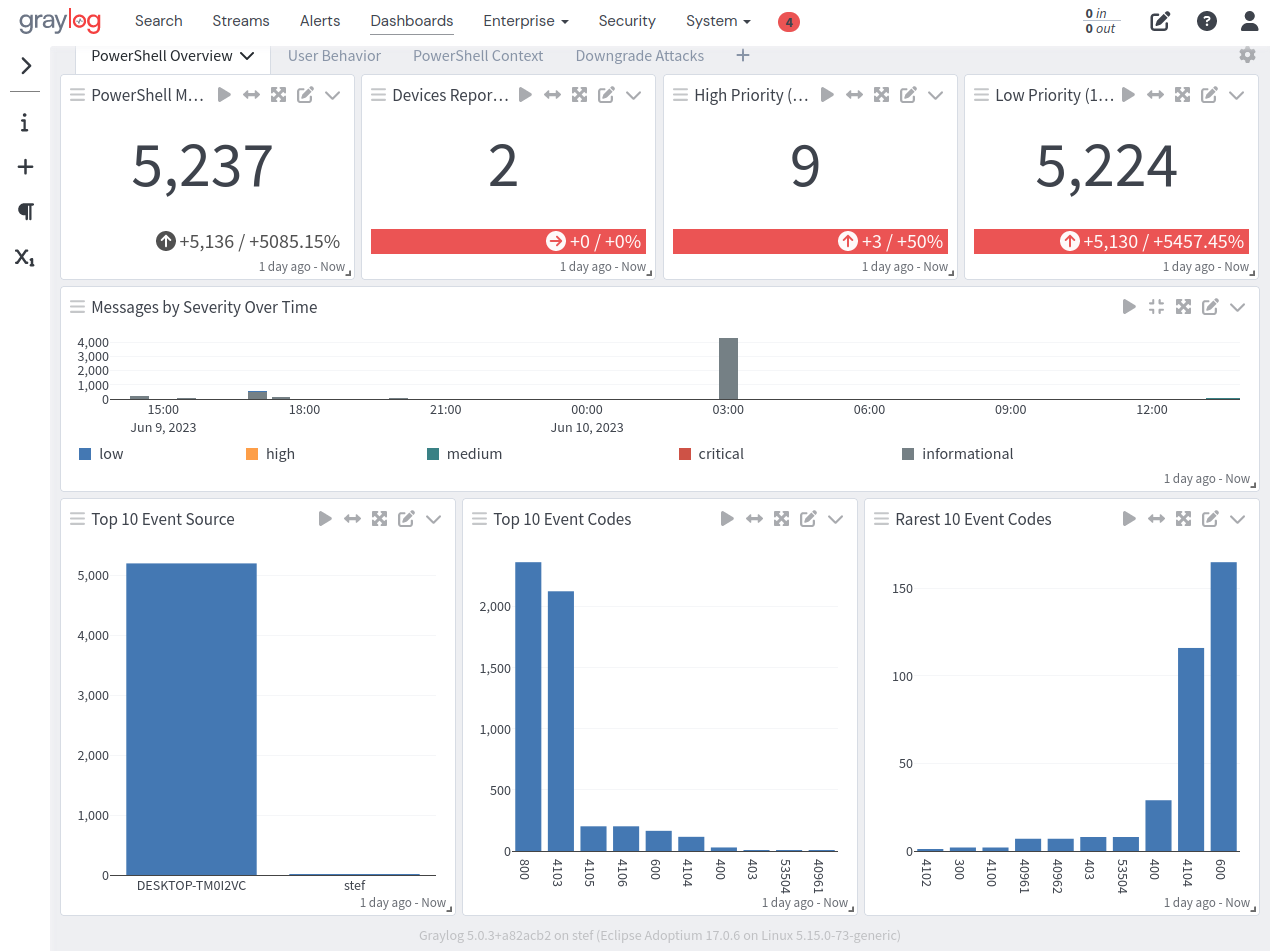
The spotlight offers a dashboard with two tabs: Overview and Downgrade Attacks.
Overview
Downgrade Attacks