pfSense and OPNsense are free, open-source firewalls and router software based on FreeBSD. They provide advanced networking features and can be used in a variety of network configurations. This technology pack processes pfSense and OPNsense messages.
Supported Versions
-
pfSense CE edition 2.6
-
OPNsense 23.1
Requirements
-
Graylog Server with a valid Enterprise license, running Graylog version 5.0.3+.
-
pfSense or OPNsense device configured with remote syslog forwarding (RFC 5424) to the Graylog server.
Stream Configuration
This technology pack includes 1 stream:
- "Illuminate:pfsense_firewall Messages"
Index Set Configuration
This technology pack includes 1 index set definition:
- "pfsense_firewall Logs"
Log Collection
The pack supports two routing methods to identify pfSense/OPNsense logs in Graylog. Choose either option.
Option 1: Route by Device Name
The name of the pfSense/OPNsense device must start with pfSense or OPNsense. These titles are case sensitive.
Option 2: Route via a Specific Syslog Input
-
In Graylog, create a new Syslog input on an unused port (or reuse an existing input dedicated to pfSense/OPNsense).
-
From the input, click Show received messages to obtain the input ID via the
gl2_source_inputvalue. -
Navigate to Enterprise > Illuminate > Customization.
-
Locate
lookup_adapter_input_routingand select Edit. -
Set content_name to
pfsense_firewalland input_id to thegl2_source_inputvalue copied earlier. -
Click Configure value to confirm. All logs sent to that input are processed by Illuminate as pfSense/OPNsense.
Configure pfSense / OPNsense
-
Enable remote logging on pfSense/OPNsense and configure the logging target.
-
Select the log sources to forward. Some services require setting changes to produce logs; most are not activated by default.
-
Set the Hostname to the IP of the Graylog server.
-
Set the Port to match the Syslog input in Graylog. The default protocol is UDP.
-
Enable syslog rfc5424.
Log Format Examples
Example logs for the core supported sources.
dhcpd (DHCP logs)
DHCPREQUEST for 192.168.1.50 from 52:54:00:06:aa:11 (tsterkal) via vtnet1
filterlog (Firewall logs)
71,,,1eb94a38e58994641aff378c21d5984f,vtnet0,match,block,in,4,0x0,,255,43376,0,DF,17,udp,73,192.168.122.40,224.0.0.251,5353,5353,53
nginx / lighttpd (Traffic logs)
192.168.1.50 192.168.1.10 - [23/Mar/2023:14:48:28 +0000] "GET /api/core/system/status HTTP/2.0" 200 317 "https://192.168.1.10/services_dhcp.php?if=lan" "Mozilla/5.0 (X11; Linux x86_64; rv:102.0) Gecko/20100101 Firefox/102.0"
unbound (DNS logs)
[98871:0] query: 192.168.1.100 safebrowsing.googleapis.com. A IN
        [61142:0] info: reply from <cnn.com.> 205.251.192.47#53
sshguard (SSHGuard logs)
Attack from "192.168.7.1" on service 100 with danger 10.
sshd (Login/Logout via SSH)
Accepted keyboard-interactive/pam for admin from 192.168.1.100 port 53214 ssh2
audit / php-fpm (Authentication)
/index.php: Successful login for user 'root' from: 192.168.1.50
login (Login to a shell)
login on ttyv0 as root
What is Provided
-
Rules to normalize and enrich pfSense and OPNsense log messages.
-
Field extraction, normalization, and message enrichment for pfSense/OPNsense log messages.
-
GIM Categorization for the supported event types.
Supported Logs
The pack parses logs from the following sources. Some are core supported sources; others have beta-level support.
-
dhcpd (DHCP logs)
-
filterlog (Firewall logs)
-
nginx / lighttpd (Web traffic logs)
-
unbound (DNS query logs)
-
sshd (SSH login/logout)
-
GUI login (Web UI authentication)
-
sshguard (SSHGuard intrusion detection)
-
audit / php-fpm (Authentication and user management)
-
suricata (Intrusion detection, beta)
-
snort (Intrusion detection, beta)
-
kea-dhcp4 (Kea DHCP, beta)
-
openvpn (OpenVPN, beta)
-
charon (IPSec, beta)
-
dnsmasq, Bind/named (Alternative DNS, beta)
-
squid (Proxy server, beta)
-
tailscaled (Tailscale connections, beta)
GIM Categorization
GIM event type categorization is provided for the following messages:
| Event Type | GIM Category | GIM Subcategory |
|---|---|---|
| DHCPACK | dhcp | dhcp.acknowledgement |
| DHCPREQUEST | dhcp | dhcp.request |
| DHCPOFFER | dhcp | dhcp.offer |
| DHCPDISCOVER | dhcp | dhcp.discovery |
| DHCP4_INIT_REBOOT | dhcp | dhcp.default |
| DHCP4_LEASE_ADVERT | dhcp | dhcp.offer |
| DHCP4_LEASE_ALLOC | dhcp | dhcp.acknowledgement |
| ALLOC_ENGINE_V4_DISCOVER_ADDRESS_CONFLICT | dhcp | dhcp.discovery |
| EVAL_RESULT | dhcp | dhcp.default |
| network traffic | http | http.communication |
| GUI login | authentication | authentication.logon |
| GUI logout | authentication | authentication.logoff |
| ssh login | authentication | authentication.logon |
| login_failed | authentication | authentication.logon |
| pw_admin_change | iam | iam.object modify |
| pw_user_change | iam | iam.object modify |
| created user | iam | iam.object create |
| deleted user | iam | iam.object delete |
| snort alert | detection | detection.network_detection |
| suricata alert | detection | detection.network_detection |
| sshguard attack alert | detection | detection.network_detection |
| sshguard alert | detection | detection.network_detection |
| ipv4 traffic | network | network.network connection |
| ipv6 traffic | network | network.network connection |
| tailscale connection | network | network.network connection |
| ipv4 icmp traffic | network | network.default |
| ipv6 icmp traffic | network | network.default |
| ipv4 igmp traffic | network | network.default |
| snmpd connection | network | network.default |
| squid connection | http | http.proxied |
| dns query | name resolution | name resolution.dns request |
| dns response | name resolution | name resolution.dns answer |
pfSense/OPNsense Spotlight Content Pack
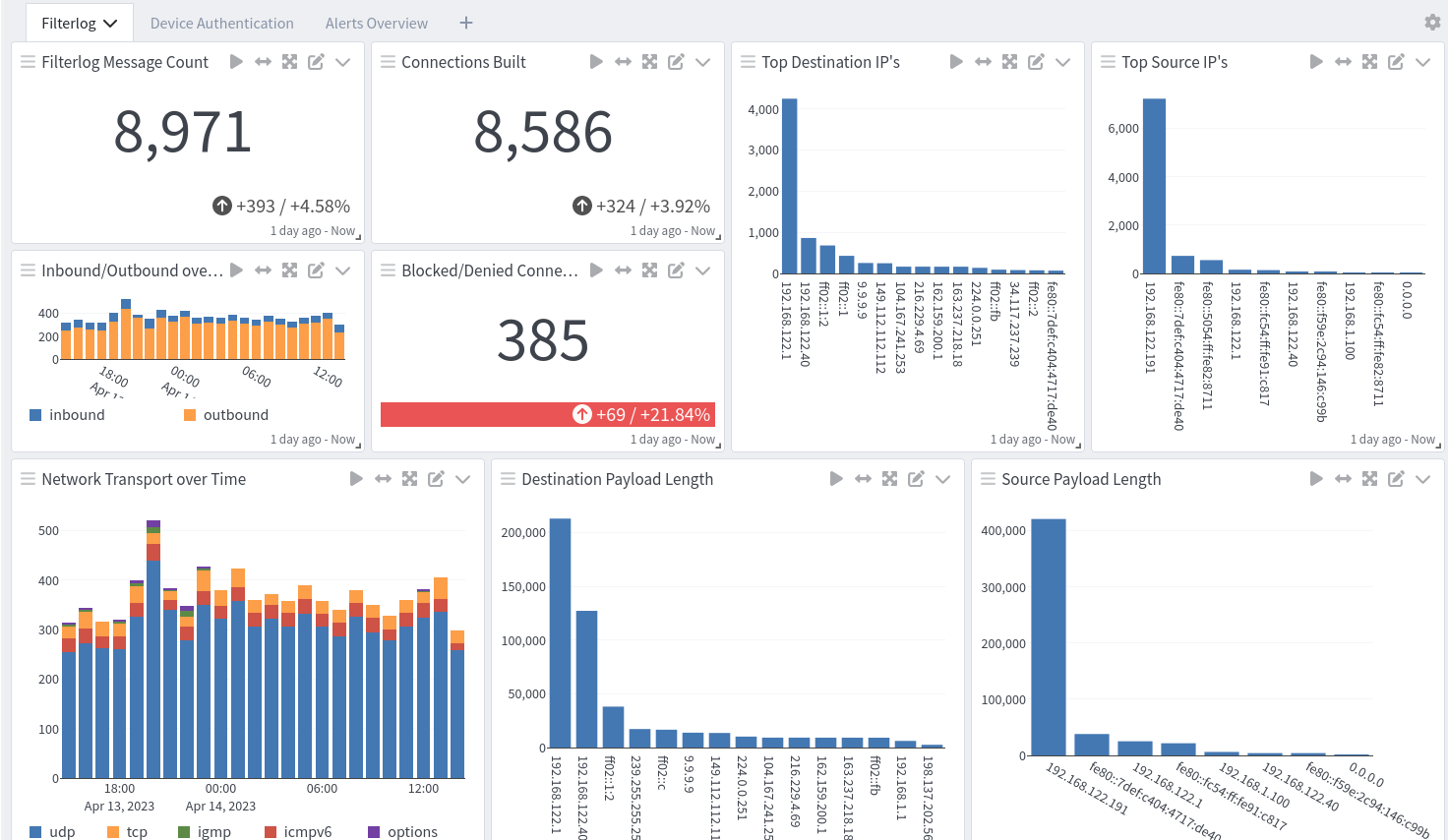
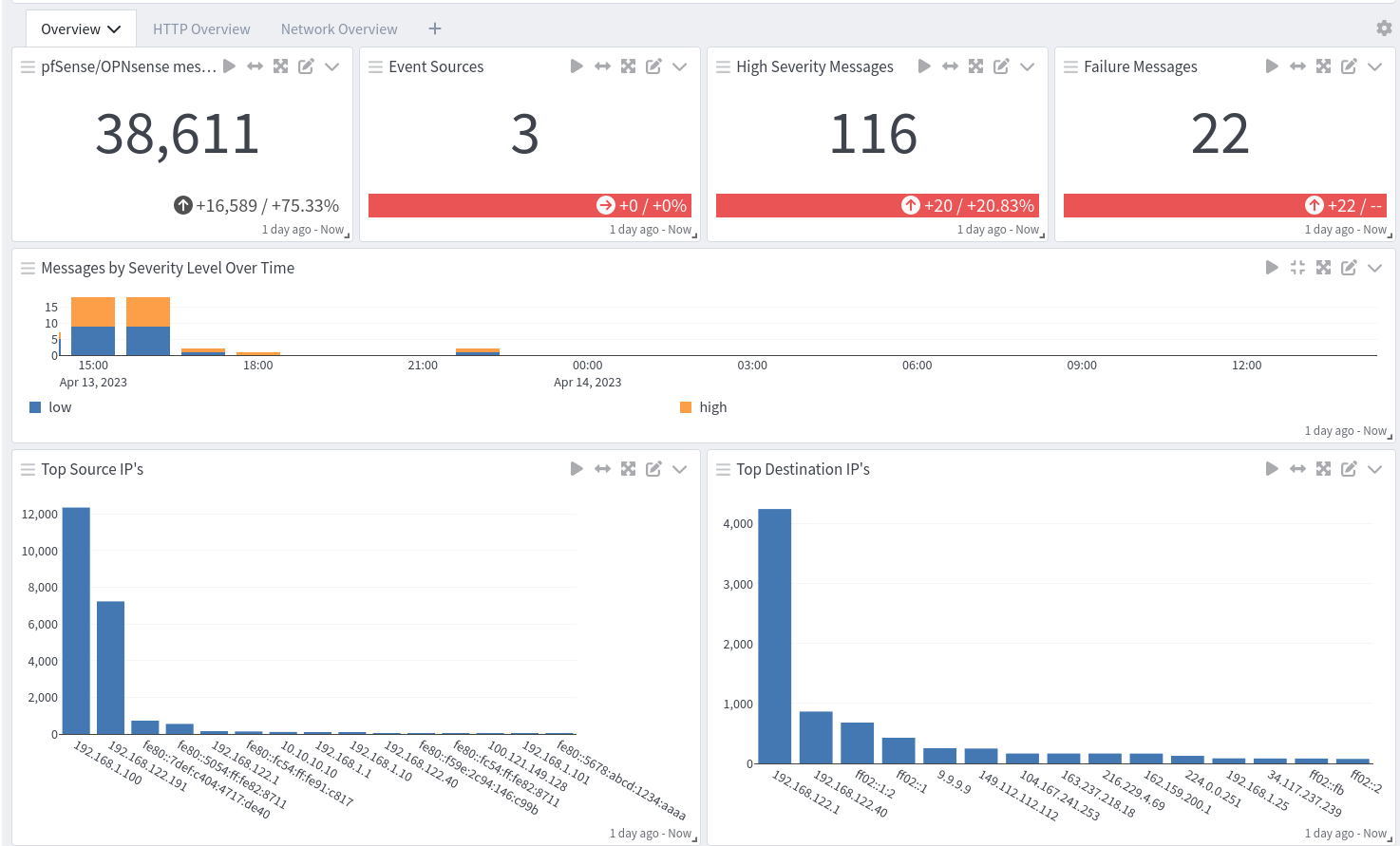
The pfSense/OPNsense Spotlight content pack offers two dashboards: an overview dashboard and a filterlogs and alerts dashboard.
Overview
Filterlogs and Alerts