Metricbeat Content Pack
Metricbeat is a lightweight agent that collects system and service performance metrics. This pack normalizes and enriches Metricbeat data for consistent host and resource monitoring.
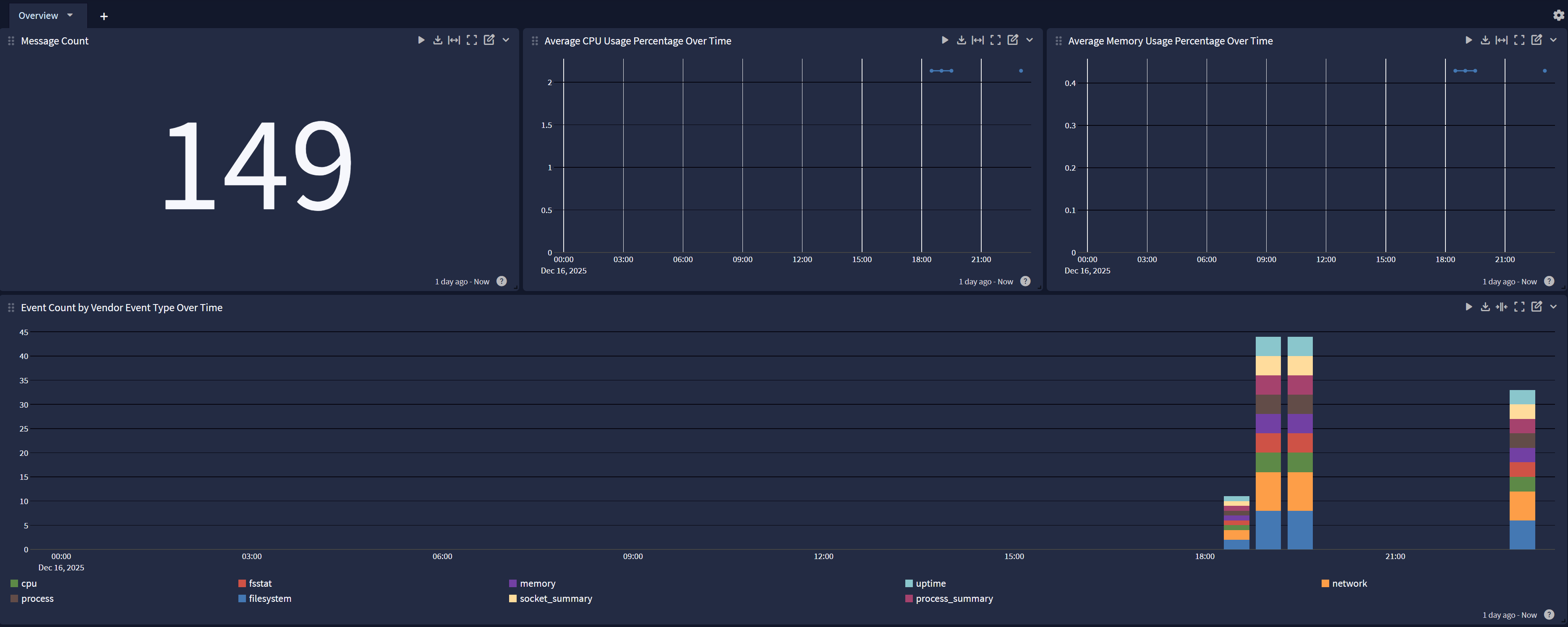
The Metricbeat Spotlight comes ready to use with pre-built dashboard views including:
-
Metricbeat Overview
-
Saved Search: Host Investigator
Supported Version(s)
-
Metricbeat 7.x and 8.x
Requirements
-
Graylog version 6.2 or higher
-
A configured Beats input on Graylog server (See Create Beats Input.)
Stream Configuration
This technology pack includes 1 stream:
- "Illuminate:Metricbeat Messages"
Index Set Configuration
This technology pack includes 1 index set definition:
- "Metricbeat Logs"
Log Format Examples
{"timestamp":1761766791.724,"version":"1.1","host":"CGARCIA-LT","short_message":"-","_gim_event_type_code":"[000000]","_original_message":"-","_event_received_time":"2025-10-29T19:39:51.724Z","_vendor_agent_id":"0b3ba278-e625-4187-a9a5-da5e0872de25","_gl2_remote_ip":"192.168.81.1","_gl2_remote_port":58328,"_vendor_metricbeat_@metadata_version":"9.2.0","_metricbeat_system_cpu_idle_pct":17.8609,"_illuminate_message_size_post":1127,"_event_source":"CGARCIA-LT","_gl2_source_input":"68fbad34d84a7eddaca6c0f5","_metricbeat_metricset_period":10000,"_vendor_host_cpu_idle_norm_pct":0.893,"_metricbeat_agent_ephemeral_id":"ecd68133-69ca-4b5e-939a-ae9dde8c26bc","_gl2_processing_timestamp":"2025-10-29 19:39:51.725","_illuminate_message_size_pre":1053,"_gim_event_type":"[message]","_vendor_service_type":"system","_gl2_source_node":"158f7e92-8da4-4b45-982c-ee2dd302b99f","_gl2_processing_duration_ms":16,"_gim_event_category":"[message]","_gl2_accounted_message_size":1281,"_metricbeat_system_cpu_system_pct":1.0922,"_gim_event_subcategory":"[message.log_message]","_streams":"[68ffb26f31d55d7ace4789e6]","_event_duration":1000,"_gl2_message_id":"01K8RQQPHC000VRGEVFW37X3E7","_metricbeat_host_cpu_usage":0.107,"_event_source_hostname":"CGARCIA-LT","_vendor_event_type":"cpu","_event_start":"2025-10-29T19:39:52.416Z","_timestamp_original_recorded":"2025-10-29T19:39:52.416Z","_vendor_event_source_version":"9.2.0","_vendor_host_cpu_core_count":20,"_vendor_host_cpu_total_norm_pct":0.107,"_gl2_receive_timestamp":"2025-10-29 19:39:51.709","_beats_type":"metricbeat","_vendor_ecs_version":"8.0.0","_vendor_host_cpu_user_norm_pct":0.0523,"_vendor_event_category":"system.cpu","_event_source_product":"metricbeat","_vendor_metricbeat_@metadata_type":"_doc","_metricbeat_system_cpu_total_pct":2.1391,"_metricbeat_system_cpu_user_pct":1.0469,"_illuminate_message_overhead_perc":7.027540360873694,"_vendor_host_cpu_system_norm_pct":0.0546,"_vendor_metricbeat_@metadata_beat":"metricbeat","_illuminate_message_overhead":74,"_vendor_product":"system"}
What is Provided
-
Rules to parse, normalize, and enrich Metricbeat log messages
-
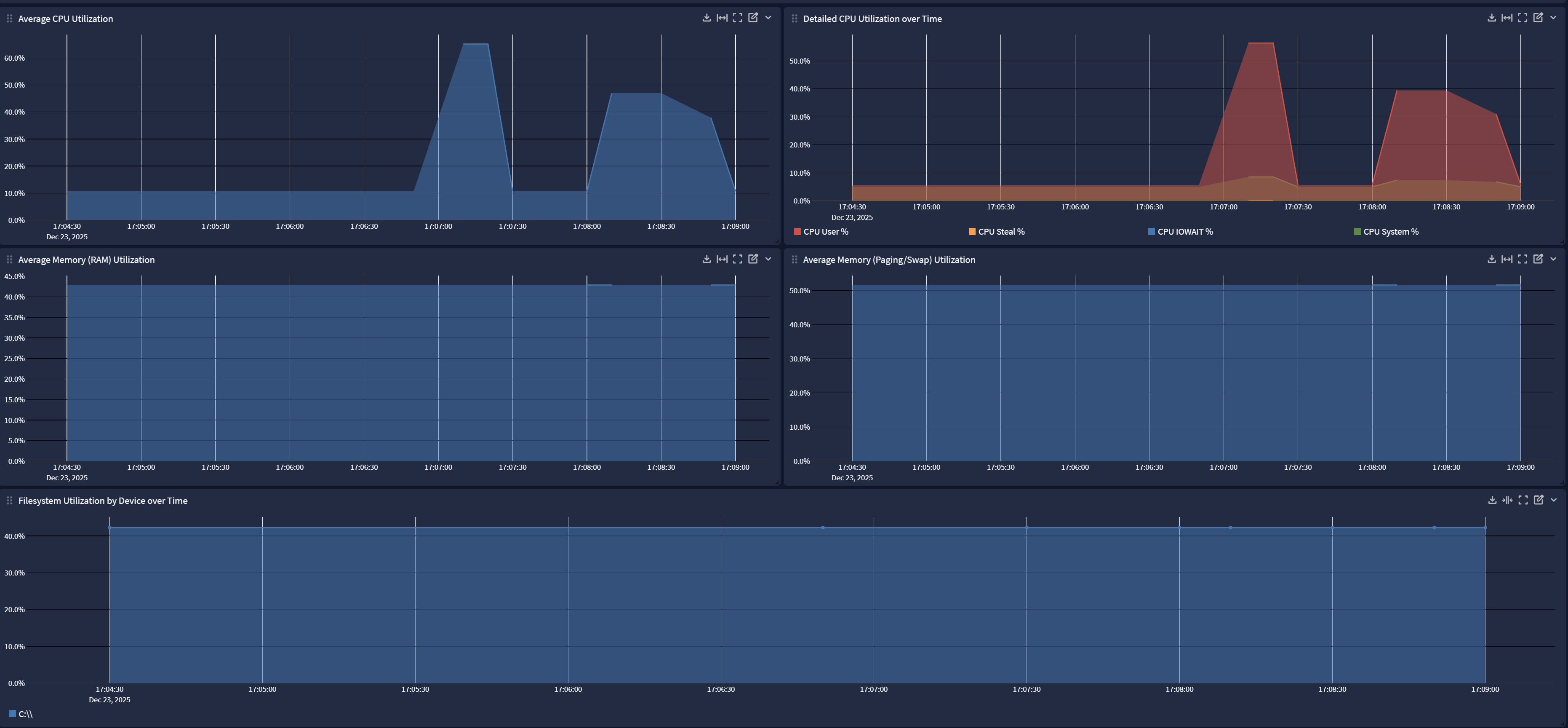
A spotlight providing Overview dashboards for Metricbeat events, including host-level CPU, memory, paging, and filesystem utilization
Events Processed by This Technology Pack
The content pack supports the following log types:
-
system.cpu
-
system.memory
-
system.filesystem
-
system.network
-
system.process
-
system.load
Message Fields Included in This Pack
General Parsing
 Common Fields List ▼
| Field Name | Example Value | Field Type | Description |
|---|---|---|---|
| event_source_product | metricbeat | keyword | Source product that generated the event |
| host_id | abcd1234efgh5678ijkl9012mnop3456 | keyword | Unique identifier of the reporting host |
| host_name | metricbeat-demo-host | keyword | Name of the host reporting metrics |
| vendor_event_category | system.cpu | keyword | High-level category of the Metricbeat event |
| vendor_event_type | cpu | keyword | Specific type of Metricbeat event |
Log Collection
Create a Beats Input
One beats input can service multiple log sources; therefore, this step is not required if a beats input has already been configured.
-
On the Select Input drop-down menu, select the System menu and then choose Inputs.
-
Select Beats from the Select Input drop-down menu.
-
Click Launch New Input.
-
Assign a node or select Global mode.
-
Set the Title, Bind Address, and listening Port. For example:
-
Title: "Beats input 5044"
-
Bind address: "0.0.0.0" to listen on all interfaces
-
Port: "5044"
-
-
Make sure the option "Do not add Beats type as prefix" is not selected. Pipeline processing rules reference incoming data by field name and the pipeline will not function correctly if this prefix is omitted.
-
Save the input settings.
-
If the input does not start automatically, select Start Input to begin listening for and processing new Beats messages (including Metricbeat messages).
Metricbeat Log Collection (Windows and Linux)
Metricbeat collects system and service performance metrics from both Windows and Linux hosts.
- On Windows, it gathers data such as CPU, memory, disk, and network usage using the system module.
- On Linux, it collects similar host metrics along with process and filesystem statistics.
All metrics are sent in JSON format through the configured Beats input (port 5044 by default) to Graylog for parsing and visualization.
Metricbeat Content Pack
This spotlight offers a dashboard with 2 tabs:
Overview
Host Investigator