Cloudflare is a comprehensive cloud web-based security and performance platform that works by filtering out malicious traffic, preventing cyberattacks like DDoS, and optimizing content delivery to ensure faster loading times for users. This technology pack processes Cloudflare logs with normalization and enrichment for HTTP Request, Firewall Event, DNS, WAF, and account-scoped dataset log types (Access Requests, Audit Logs, Gateway DNS, Gateway HTTP).
Supported Version(s)
-
Cloudflare 2024.10.2
Requirements
-
Cloudflare Logpush configured to deliver logs to Graylog via a Raw HTTP input.
-
Graylog Enterprise version 6.1.0 or later.
-
The input routing lookup must be configured to map the Raw HTTP input ID to 'cloudflare' under Enterprise > Illuminate > Customization.
Stream Configuration
This technology pack includes 1 stream:
- "Illuminate:Cloudflare Messages"
Index Set Configuration
This technology pack includes 1 index set definition:
- "Cloudflare Event Log Messages"
What is Provided
-
Parsing rules to extract Cloudflare logs into Graylog schema-compatible fields.
-
GIM categorization for HTTP Request, Firewall Event, DNS, WAF, Access Request, Audit, Gateway DNS, and Gateway HTTP logs (see table below).
-
Firewall and WAF event action mapping for all Cloudflare actions (block, allow, challenge, etc.).
-
Cloudflare Spotlight dashboard.
GIM Categorization
GIM categorization is provided for the following log types:
| Log Type | gim_event_type_code | gim_event_category | gim_event_subcategory | gim_event_type |
|---|---|---|---|---|
| DNS logs | 140000 | name resolution | name resolution.dns request | dns query |
| Firewall events (all) | 120000 | network | network.network connection | network connection |
| Firewall events (blocked) | 300001 | detection | detection.network_detection | network_detection |
| HTTP Request logs | 180100 | http | http.request | http request |
| WAF logs | 180100 | http | http.request | http request |
| WAF logs (blocked) | 300001 | detection | detection.network_detection | network_detection |
| Access Requests | 100000|100500 | authentication | authentication.logon|authentication.credential validation | logon|credential validation |
| Audit Logs | 229999 | audit | audit.default | audit event |
| Gateway DNS | 140000 | name resolution | name resolution.dns request | dns query |
| Gateway HTTP | 180200 | http | http.communication | http communication |
Log Collection
Cloudflare logs are delivered via Logpush to a Graylog Raw HTTP input.
Graylog Server Configuration
-
Create a dedicated Raw HTTP input for Cloudflare logs.
-
Access the input's received messages to obtain the input ID (
gl2_source_inputvalue). -
Navigate to Enterprise > Illuminate > Customization tab.
-
Edit
lookup_adapter_input_routingand map the input ID tocloudflare. -
Repeat for multiple inputs as needed.
Cloudflare Spotlight
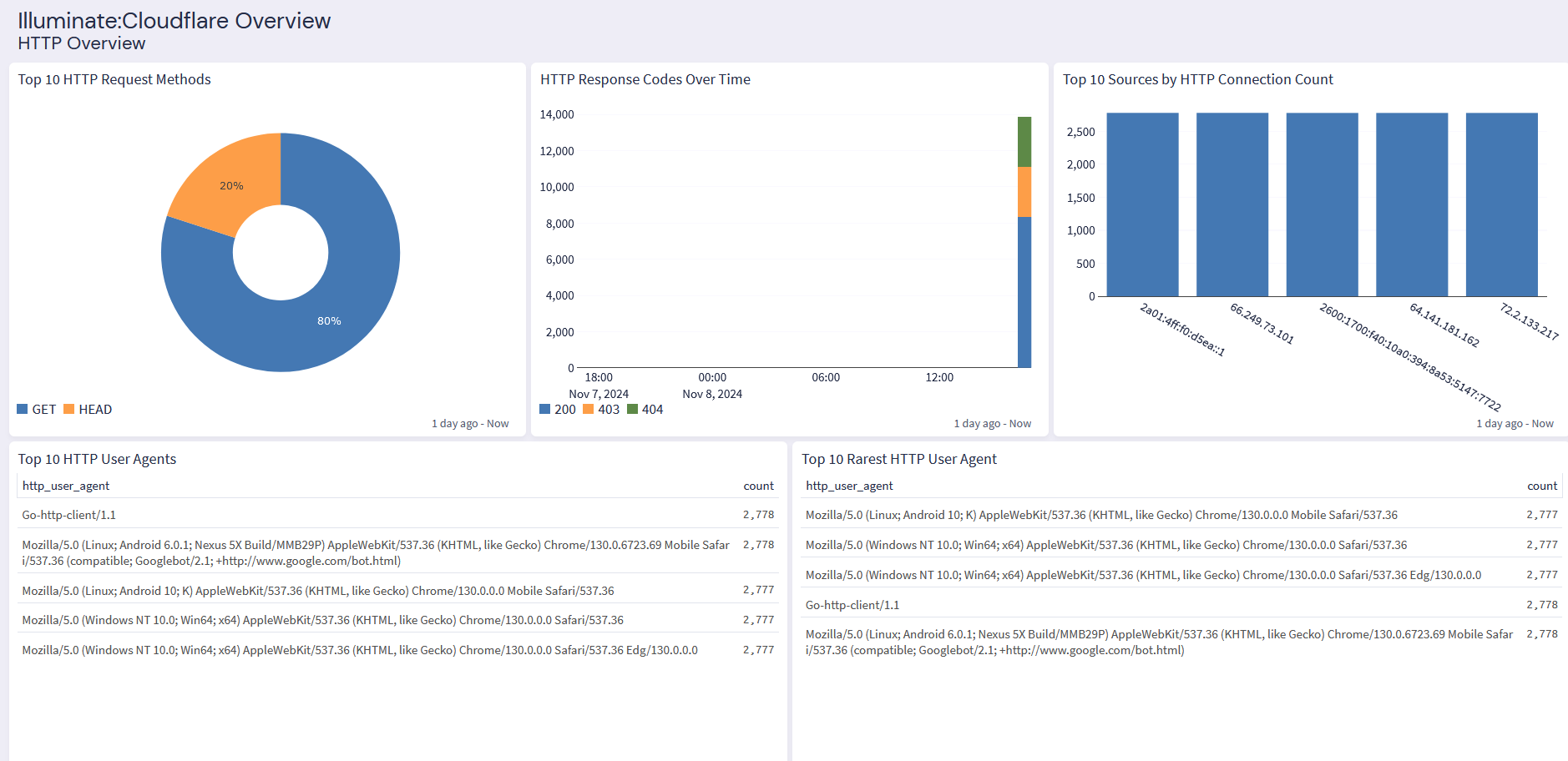
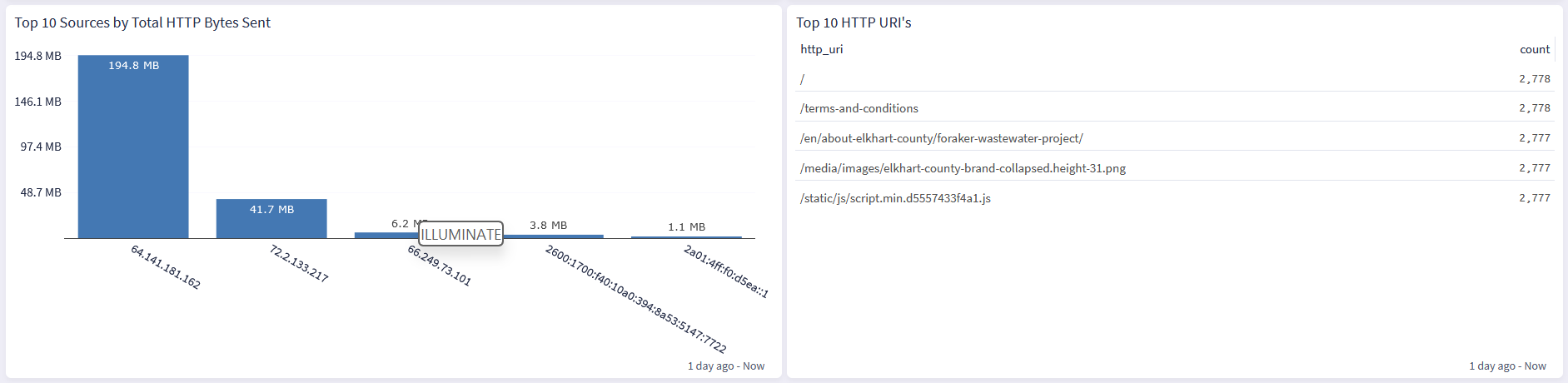
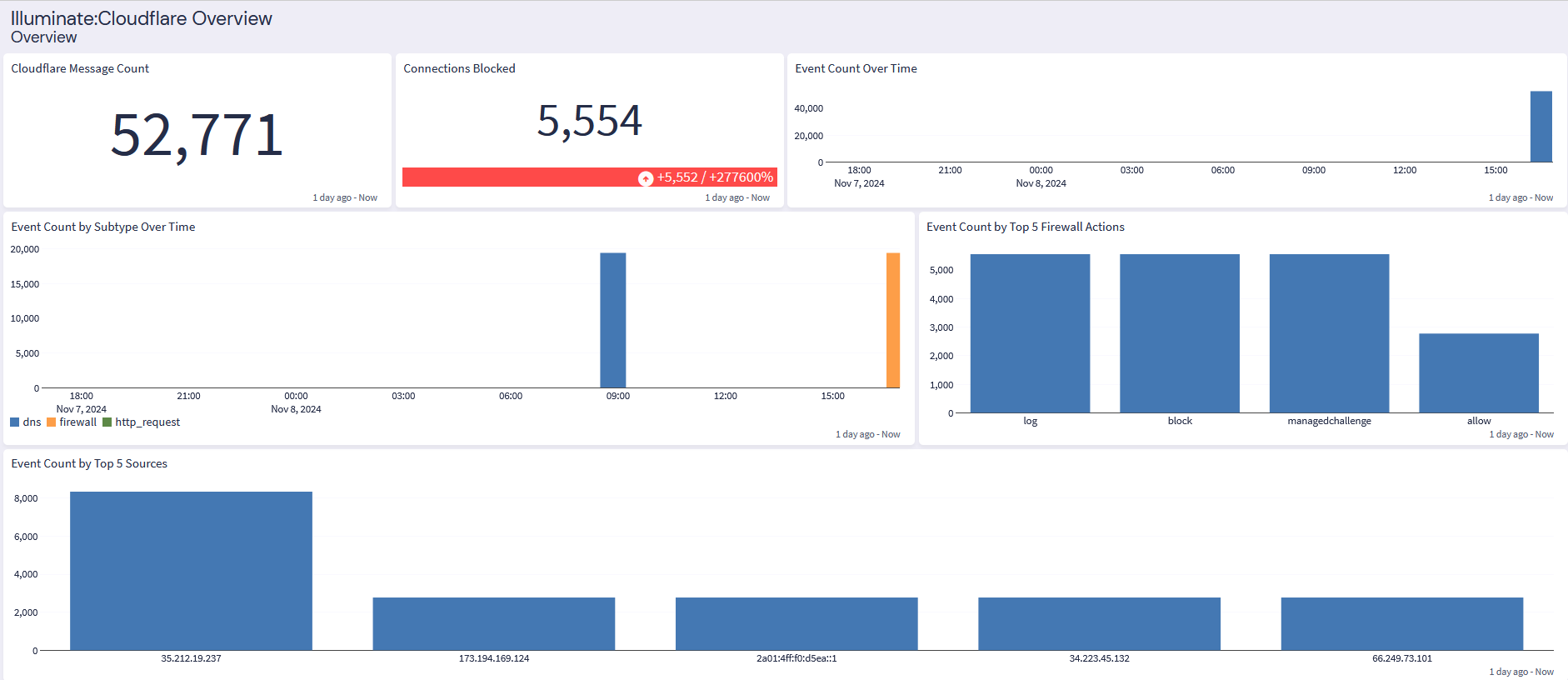
The Cloudflare Spotlight offers two dashboard tabs: Overview and HTTP Overview.
Overview
HTTP Overview