Cisco Umbrella is a cloud-delivered DNS and web security service providing DNS-layer security, secure web gateway (proxy), and audit logging. This technology pack processes Cisco Umbrella DNS, Proxy, and Audit logs delivered via S3, providing normalization and enrichment of security events.
Supported Version(s)
-
Cisco Secure Client 5.1.3.62
-
Cisco Umbrella Schema version 8 or 9
Requirements
-
Cisco Secure Client 5.1.3.62 or later.
-
Cisco Umbrella Schema version 8 or 9.
-
Graylog Enterprise version 6.1.0 or later.
-
Graylog's custom AWS S3 input configured to read from the Umbrella log bucket.
Stream Configuration
This technology pack includes 1 stream:
- "Illuminate:Cisco Device Messages"
Index Set Configuration
This technology pack includes 1 index set definition:
- "Cisco Devices Event Log Messages"
Log Collection
Cisco Umbrella logs are delivered via S3 to Graylog using the custom AWS S3 input.
Graylog Server Configuration
-
Set up log ingestion with Graylog's custom AWS S3 input.
-
Configure the S3 input to read from the Cisco Umbrella log bucket.
-
Ensure the S3 bucket contains the expected folder structure: dnslogs/, proxylogs/, and/or auditlogs/.
Log Format Examples
Cisco Umbrella delivers logs in CSV format. The following are examples of each log type.
DNS Logs
"2024-06-26 17:55:56","DESKTOP-FNV6TE0","DESKTOP-FNV6TE0","172.16.14.19","182.76.175.118","Allowed","1 (A)","NOERROR","ecs.office.com.","Chat,Instant Messaging,Software/Technology,Business Services,Internet Telephony,Application,Business and Industry,Computers and Internet","Anyconnect Roaming Client","Anyconnect Roaming Client",""
Proxy Logs
"2024-06-26 17:55:56","DESKTOP-FNV6TE0","172.16.14.19","182.76.175.118","23.49.60.199","application/octet-stream","Blocked","http://r3.o.lencr.org/","","Mozilla/5.0 (Windows NT 10.0; Win64; x64; rv:124.0) Gecko/20100101 Firefox/124.0","200","85","908","503","72dd7db9b141ab3c1dabec31ad79a74cb19fc7999ae56a0e59e0987494e76710","Non-Profits,Infrastructure and Content Delivery Networks","","","UNKNOWN","","0","Anyconnect Roaming Client","","DESKTOP-FNV6TE0","Anyconnect Roaming Client","POST","","","","14508972","","","",""
Audit Logs
"1805868361","2024-07-15 05:16:57","test@acme.com","Bobby Joe","bundles","update","182.76.175.118","frontendModifiedAt: 2024-07-09 13:34:16\nmodifiedAt: 2024-07-09 15:42:47\npriority: 1","frontendModifiedAt: 2024-07-15 05:15:51\nmodifiedAt: 2024-07-15 05:16:57\npriority: 3"
What is Provided
-
Parsing rules to extract Cisco Umbrella logs into Graylog schema-compatible fields.
-
GIM code 140000 (dns query) for DNS logs.
-
GIM code 180300 (http proxied communication) for Proxy logs.
-
GIM code 220500 (audit policy changed) for Audit logs.
-
GIM code 300001 (network detection) for blocked DNS and Proxy events.
-
Event action mapping (Allowed/Blocked) for DNS and Proxy logs.
-
Cisco Umbrella Spotlight dashboard.
GIM Categorization
GIM categorization is provided for the following log types:
| Log Type | gim_event_type_code | gim_event_category | gim_event_subcategory | gim_event_type |
|---|---|---|---|---|
| DNS logs (all) | 140000 | name resolution | name resolution.dns request | dns query |
| DNS logs (blocked) | 300001 | detection | detection.network_detection | network_detection |
| Proxy logs (all) | 180300 | http | http.proxied | http proxied communication |
| Proxy logs (blocked) | 300001 | detection | detection.network_detection | network_detection |
| Audit logs | 220500 | audit | audit.policy | audit policy changed |
Cisco Umbrella Spotlight
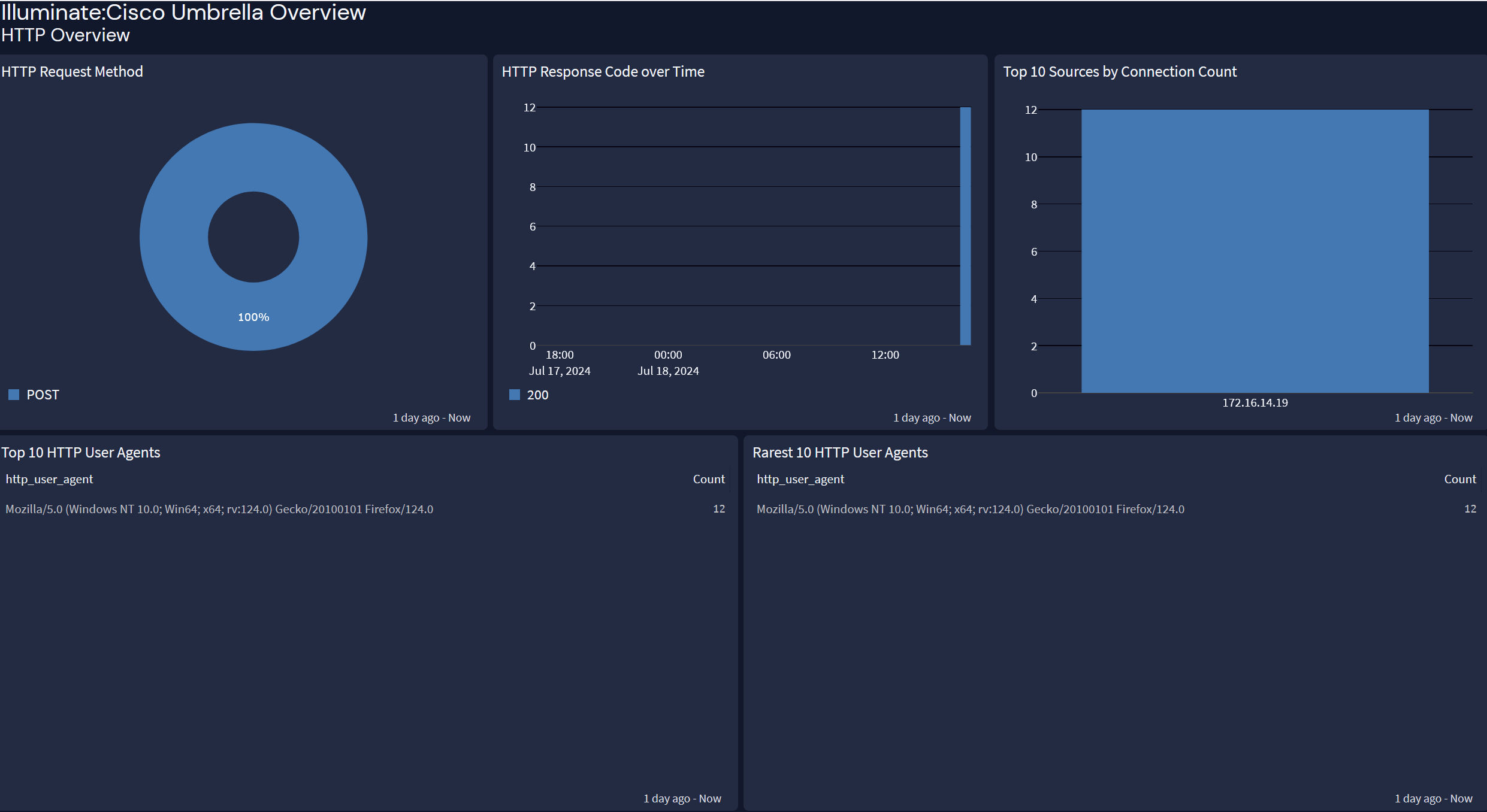
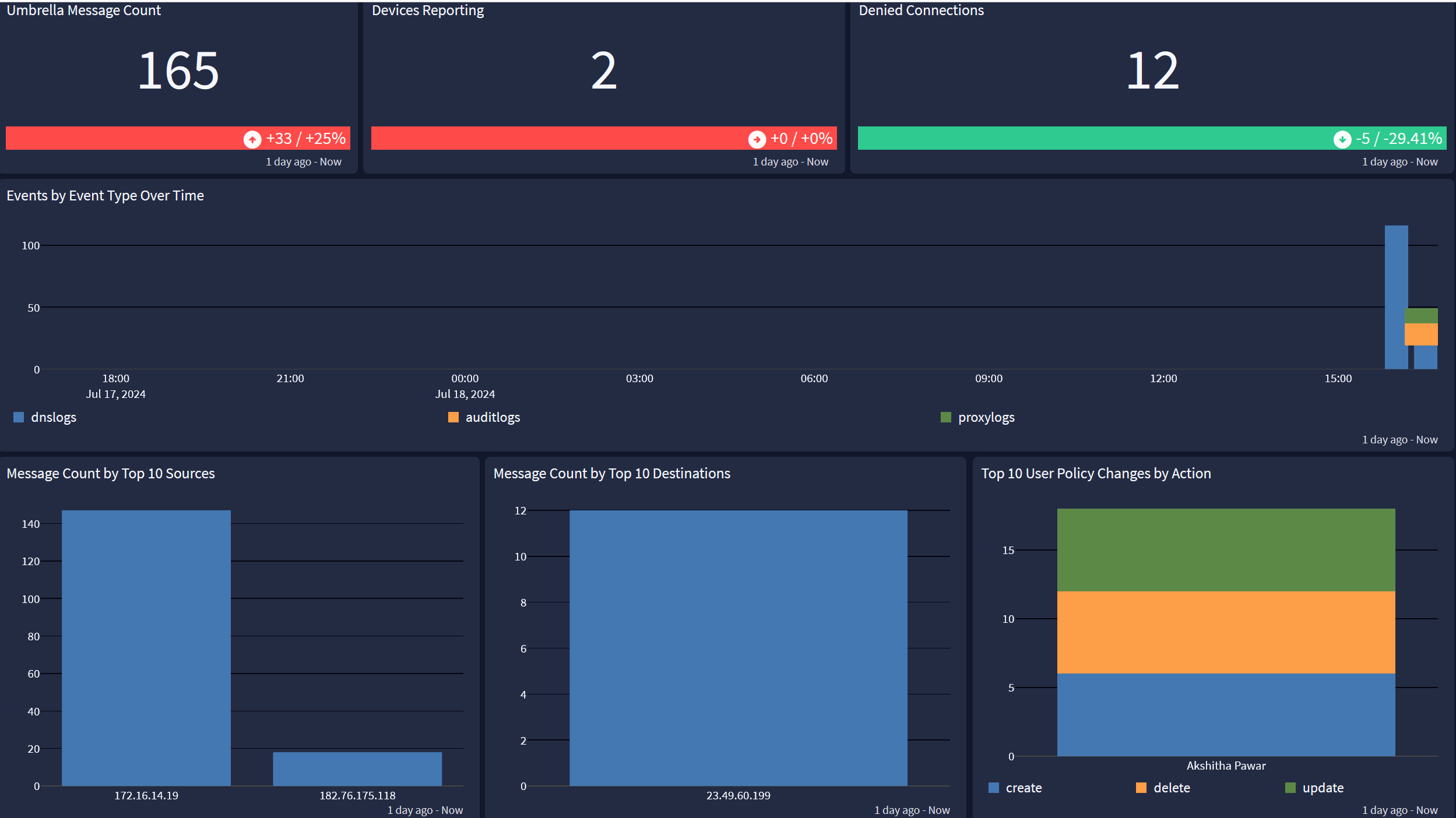
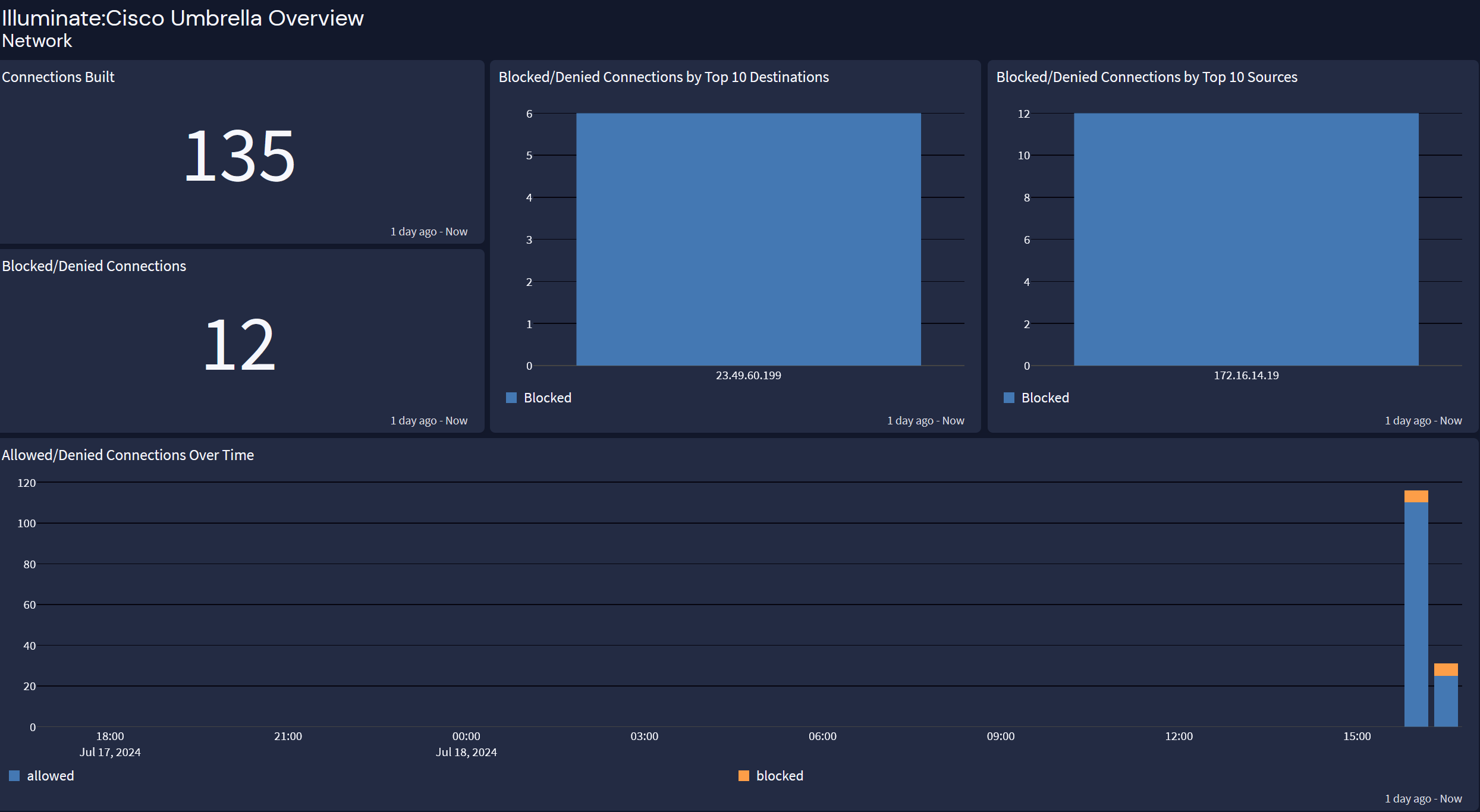
The Cisco Umbrella Spotlight offers an overview dashboard with three tabs: Overview, Network, and HTTP Events.
Overview
Network
HTTP Events