AWS VPC Flow Logs capture network traffic metadata for AWS resources. This content pack parses and normalizes AWS VPC Flow Logs for analysis and monitoring.
Supported/Tested Versions
-
AWS VPC Flow logs (Version 2 default schema)
Requirements
-
Graylog 6.2.0+
Stream Configuration
This technology pack includes 1 stream:
- "Illuminate:AWS Kinesis Messages"
Index Set Configuration
This technology pack includes 1 index set definition:
- "AWS Kinesis Logs"
Log Collection
This pack parses logs from the following sources:
-
AWS Kinesis/CloudWatch input
AWS Kinesis/CloudWatch Input Configuration
Please refer to the official documentation to set up AWS Kinesis/CloudWatch input.
Log Format Example
These are example logs for AWS VPC Flow Logs for the message field.
VPC Flow Logs
# Kinesis VPC Flow logs
        eni-094fad06ebf11ad6b ACCEPT TCP 10.0.2.155:50602 -> 35.92.124.220:443
        eni-094fad06ebf11ad6b REJECT TCP 79.124.40.134:49683 -> 10.0.2.155:2838
        eni-0e2564b556d45f08d - IP -:0 -> -:0
What Is Provided
-
Rules to parse, normalize, and enrich AWS VPC messages.
Events Processed by This Technology Pack
The content pack supports the following log types. Generic processing is provided for log types not listed.
-
AWS VPC Flow Logs
GIM Categorization
GIM categorization is provided for the following messages:
| Event Type | gim_event_type_code | GIM Category | GIM Subcategory | GIM Event Type |
|---|---|---|---|---|
| VPC Flow Log | 120500 | network | network.flow | flow record |
Message Fields Included in This Pack
General Parsing for AWS VPC Flow Logs
| Field Name | Example Value | Field Type | Description |
|---|---|---|---|
| vendor_event_action | ACCEPT | string | The network flow action taken by AWS VPC Flow Logs |
| vendor_message_type | DATA_MESSAGE | string | The AWS Kinesis message type |
| vendor_stream_name | grenade-flow-logs | string | The AWS Kinesis stream name |
| vendor_stream_arn | arn:aws:kinesis:us-west-2:875222236744:stream/grenade-flow-logs | string | The ARN of the Kinesis data stream |
| vendor_log_group | graylog-grenade | string | The associated AWS CloudWatch log group name |
| vendor_log_stream | eni-00468c992fdba48c1-all | string | The CloudWatch log stream name |
| vendor_aws_owner | 875225226744 | string | The AWS account owner ID |
| vendor_aws_source | true | boolean | Indicates if the log source is AWS |
| vendor_subscription_filters | [grenade-all2] | string | AWS CloudWatch subscription filter name(s) |
| network_bytes | 76 | long | Number of bytes transferred in the network flow |
| event_duration_seconds | 1 | long | Duration of the capture window in seconds |
| destination_ip | 185.125.190.56 | ip | Destination IP address of the network flow |
| destination_port | 123 | long | Destination port number |
| network_interface_id | eni-00468c992fd2248c1 | string | The AWS Elastic Network Interface ID |
| event_status | OK | string | The flow log status (OK, NODATA, or SKIPDATA) |
| network_packets | 1 | long | Number of packets transferred |
| vendor_protocol | UDP | string | Protocol name used in the network flow |
| network_iana_number | 17 | integer | IANA-assigned protocol number |
| source_ip | 10.0.2.199 | ip | Source IP address of the network flow |
| source_port | 37284 | long | Source port number |
| event_action | allowed | string | Normalized event action (allowed or blocked) |
AWS VPC Content Pack
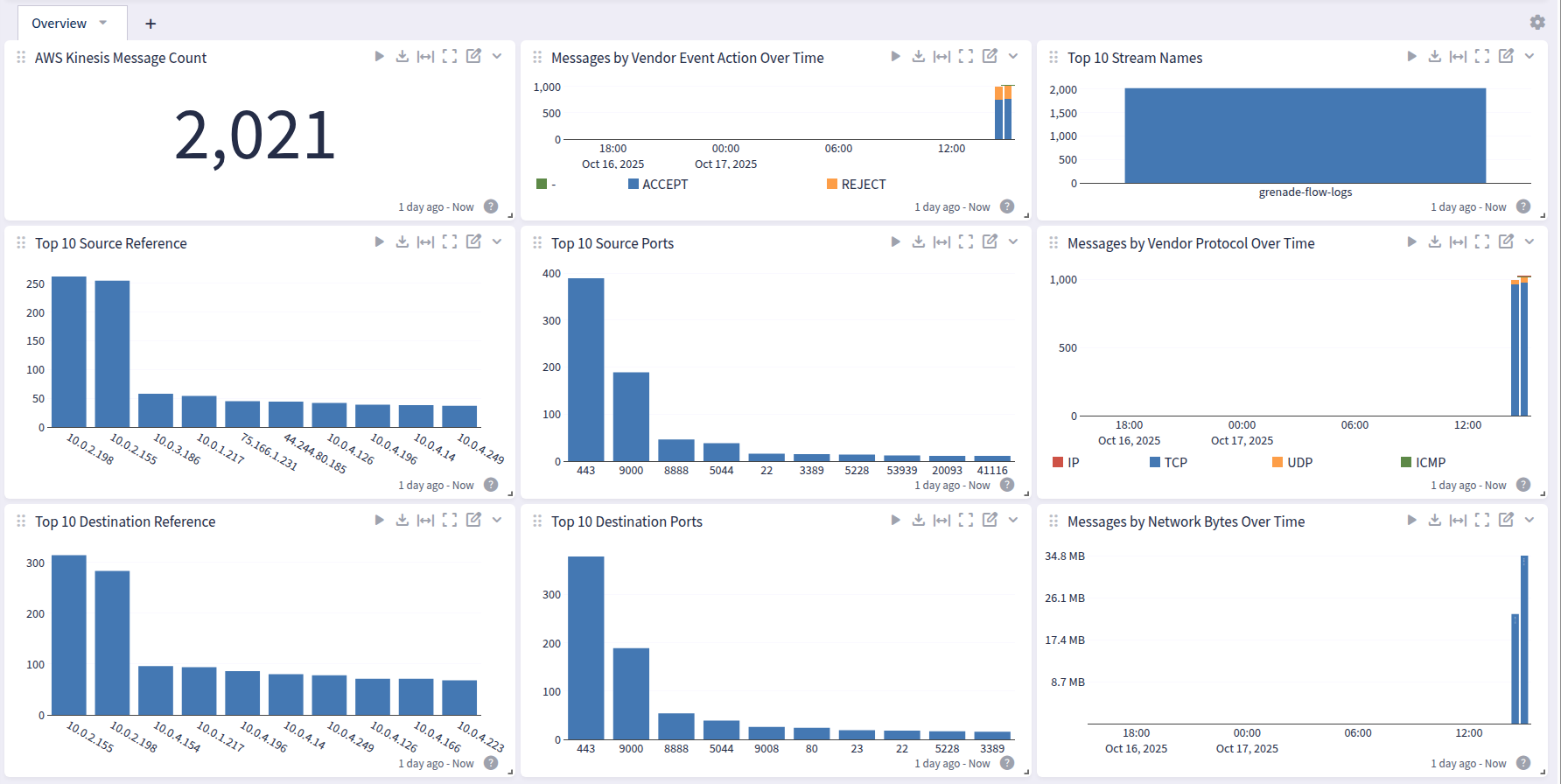
This spotlight offers a dashboard with 1 tab:
Overview