Apache Tomcat is an open-source Java servlet container developed by the Apache Software Foundation. This pack parses both Apache Tomcat access logs and Catalina server logs shipped via Filebeat with Graylog Sidecar.
Supported Version(s)
-
Apache Tomcat 11.0.5
Requirements
-
Log delivery via Filebeat with Graylog Sidecar.
-
Pack supports Ubuntu and Linux versions with the same path and file structure.
-
Only the standard Tomcat log folder for Ubuntu is supported.
Stream Configuration
This technology pack includes 1 stream:
- "Illuminate:Apache Tomcat Device Messages"
Index Set Configuration
This technology pack includes 1 index set definition:
- "Apache Tomcat Logs"
Log Format Example
Access Logs
34.20.30.15 - - [28/Mar/2025:23:34:30 +0000] "PUT /stefan.session HTTP/1.1" 201 -
				127.0.0.1 - - [26/Mar/2025:15:45:02 +0000] "GET /index.jsp HTTP/1.1" 200 11235
				11.20.29.124 - admin [02/Mar/2023:18:58:17 +0530] "POST /host-manager/images/asf-logo.svg HTTP/1.1" 200 20486 X 400 "http://localhost:8080/host-manager/html" "Mozilla/5.0 (Windows NT 10.0; Win64; x64) AppleWebKit/537.36 (KHTML, like Gecko) Chrome/109.0.0.0 Safari/537.36" X-Forwarded-For="127.0.0.1"
Catalina Logs
26-Mar-2025 15:27:08.188 INFO [main] org.apache.catalina.core.StandardService.startInternal Starting service [Catalina]
				26-Mar-2025 15:27:08.205 INFO [main] org.apache.catalina.core.StandardEngine.startInternal Starting Servlet engine: [Apache Tomcat/11.0.5]
				26-Mar-2025 15:27:08.290 INFO [main] org.apache.catalina.startup.HostConfig.deployDirectory Deployment of web application directory [/opt/tomcat/webapps/ROOT] has finished in [82] ms
				26-Mar-2025 15:27:08.312 INFO [main] org.apache.coyote.AbstractProtocol.start Starting ProtocolHandler ["http-nio-8080"]
				26-Mar-2025 15:30:44.512 INFO [main] org.apache.catalina.core.StandardService.stopInternal Stopping service [Catalina]
				26-Mar-2025 15:30:44.521 INFO [main] org.apache.coyote.AbstractProtocol.stop Stopping ProtocolHandler ["http-nio-8080"]
				26-Mar-2025 15:27:10.290 WARNING [Catalina-utility-2] org.apache.catalina.startup.HostConfig.deployDirectory Failed to deploy web application directory [/opt/tomcat/webapps/broken]
What is Provided
-
Parsing rules to extract Apache Tomcat access logs and Catalina server logs into Graylog schema-compatible fields.
-
Access log events receive GIM code 180200 (http.communication).
-
Catalina service start events receive GIM code 210000 (service started).
-
Catalina service stop events receive GIM code 210100 (service stopped).
GIM Categorization
GIM event type code assignments for Apache Tomcat log events:
| Log Type | GIM Event Type Code | GIM Event Type |
|---|---|---|
| Access log (all HTTP requests) | 180200 | http communication |
| Catalina log - service/ProtocolHandler start (Starting) | 210000 | service started |
| Catalina log - service/ProtocolHandler stop (Stopping) | 210100 | service stopped |
Field Normalization
Normalized Fields
| Field Name | Description |
|---|---|
| gim_event_type_code | GIM event type code. Set to 180200 (http communication) for all access log events. |
| http_referrer | The referrer URL sent by the client (the page that linked to this request), when present. |
| http_request_method | The HTTP method used for the request (for example: GET, POST, PUT). |
| http_request_path | The path requested (for example: /index.jsp or /host-manager/html). |
| http_response_code | The HTTP status code the server returned (for example: 200, 404, 500). |
| http_timestamp | Raw timestamp from the access log (for example: 26/Mar/2025:15:45:02 +0000). |
| http_user_agent | The client User-Agent string, when present. |
| http_version | The HTTP version used in the request (for example: 1.1). |
| http_xff | The X-Forwarded-For header value, when present. |
| ident | Ident value from the access log (usually -). |
| network_bytes | Number of bytes sent in the response body (absent when -). |
| network_protocol | Set to http for all access log events. |
| source_hostname | Client hostname, when the log records a name instead of an IP address. |
| source_ip | Client IP address. |
| user_name | Authenticated username for the request, when present. |
| vendor_connection_status | Connection status flag from the extended log format, when present. |
| vendor_response_time_ms | Server response time in milliseconds, when present in the extended log format. |
Normalized Fields
| Field Name | Description |
|---|---|
| event_created | Normalized event timestamp parsed from the Catalina log timestamp (for example: 2025-03-26T15:27:08.000Z). |
| event_severity | Normalized severity string (for example: informational, medium, critical). |
| event_severity_level | Numeric severity level: 1 (informational), 3 (medium), 5 (critical). |
| gim_event_type_code | GIM event type code. Set to 210000 (service started) or 210100 (service stopped) for main module service/ProtocolHandler events. |
| service_name | Name of the service or ProtocolHandler extracted from the log (for example: Catalina, http-nio-8080). |
| vendor_catalina_module | Thread name or module from the bracketed field in the Catalina log (for example: main, Catalina-utility-2). |
| vendor_class | Fully qualified Java class name that produced the log entry. |
| vendor_component | Component type extracted from main module events: service or ProtocolHandler. |
| vendor_event_action | Action word from main module events: Starting or Stopping. |
| vendor_event_severity | Raw severity level as logged by Tomcat (for example: INFO, WARNING, SEVERE). |
Log Collection
Input via Filebeat together with Graylog Sidecar
Please use the official Graylog Sidecar documentation to configure your Graylog server and your client(s).
-
Create an input and an API key and set up Graylog Sidecar.
-
Add your client(s), e.g. web server.
Graylog Server Settings
-
Create a global Beats input in Graylog.
-
Create a Graylog REST API access token and save it.
-
Create a (Linux) filebeat configuration under Sidecar > Configuration with a 'Filebeat on Linux' collector.
-
Configure the file and add:
-
The correct IP (Graylog server IP) under
hosts. -
The log source configured to the desired value and a field
event_source_productwith the valueapache_tomcat.
Copyfilebeat.inputs:
- input_type: log
paths:
- /opt/tomcat/updated/logs/*
type: filestream
fields_under_root: true
fields:
event_source_product: apache_tomcat -
-
This setting will pull all logs in the
/opt/tomcat/updated/logs/*folder. If needed, adjust the path to match your Tomcat installation. -
Finally, save the configuration to complete setup.
event_source_product and - /opt/tomcat/...
.
Configure a Client with Filebeat and Graylog Sidecar
-
Install Sidecar on the remote machine.
Copywget
https://packages.graylog2.org/repo/packages/graylog-sidecar-repository_1-5_all.deb
sudo dpkg -i graylog-sidecar-repository_1-5_all.deb
sudo apt-get update && sudo apt-get install graylog-sidecar -
Edit the
/etc/graylog/sidecar/sidecar.ymlfile and configure:-
server_urlGraylogServerIP -
server_api_token:Your API token
Copysudo gedit /etc/graylog/sidecar/sidecar.yml
server_url: "http://<GRAYLOG_SERVER_IP>:9000/api/"
server_api_token: "<YOUR_API_TOKEN>" -
-
Install, enable, and verify the Sidecar service.
Copysudo graylog-sidecar -service install
sudo systemctl enable graylog-sidecar
sudo systemctl start graylog-sidecar
sudo systemctl status graylog-sidecar -
Install filebeats according to the documentation. Or, here is the download link for the OSS version.
-
If you install it manually, install it again under
/etc/filebeat. -
If you install it via
apt-get, then it is in the correct folder.
-
-
Example commands for Ubuntu:
Copywget -qO - https://artifacts.elastic.co/GPG-KEY-elasticsearch | sudo apt-key
add -
sudo apt-get install apt-transport-https
echo "deb https://artifacts.elastic.co/packages/oss-8.x/apt stable main" | sudo tee -a
/etc/apt/sources.list.d/elastic-8.x.list
sudo apt-get update && sudo apt-get install filebeat
sudo systemctl enable filebeat
sudo systemctl start filebeat
sudo systemctl status filebeat -
(Optional) Edit the
filebeat.ymlfile as needed. You do this via the Sidecar configuration in the Graylog interface. -
Start the daemon.
-
If there is a permission issue, you can resolve with:
Copysudo chown root filebeat.yml -
In Graylog, assign a configuration to your machine
Limitations
This pack was tested on Ubuntu and may not work as designed with other Linux-based systems due to different path and file names. Error logs are not parsed.
Apache Tomcat Content Pack
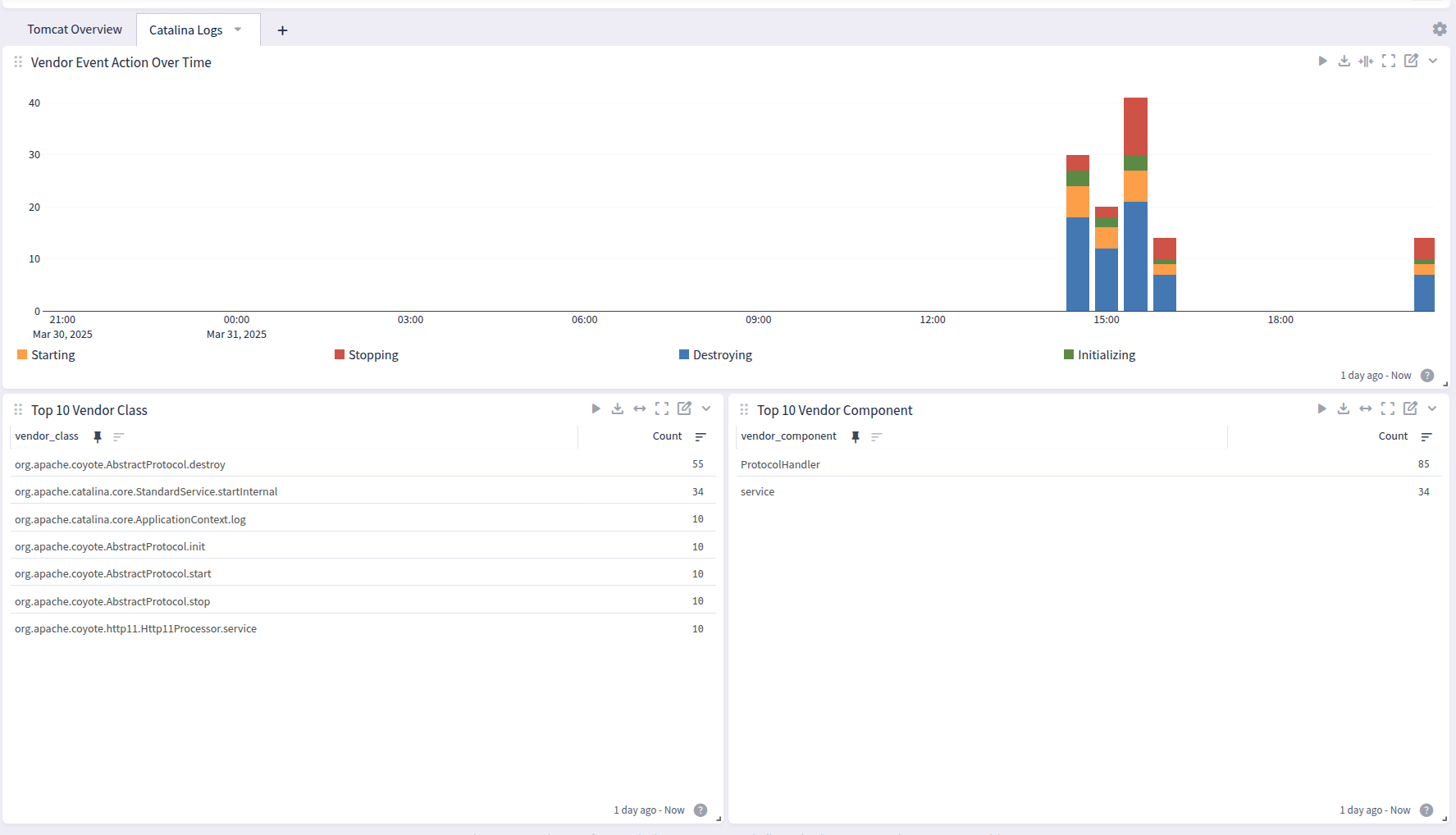
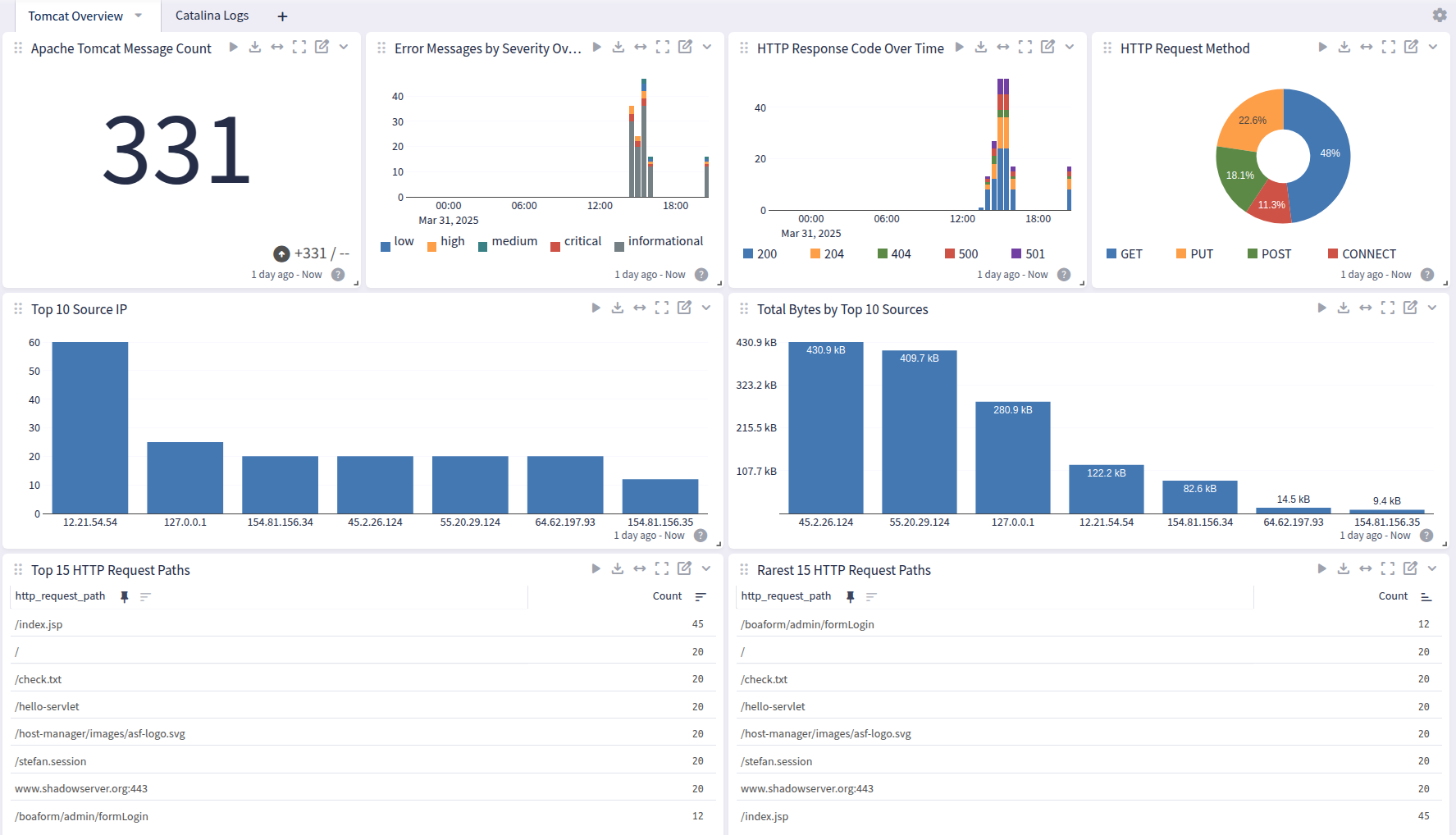
Apache Tomcat offers a dashboard with 2 tabs: Overview and Catalina:
Overview
Catalina